Quiz App vs Website: Understanding the Key Difference
Discover the difference between quiz app and website. Learn how interactivity, ongoing engagement, and user experience sets them apart.
- how quiz websites work
- quiz app vs website
- features of quiz apps
- benefits of quiz websites
- which is better quiz app
- quiz app comparison
- pros and cons of quiz apps
- difference between quiz app and website
On this page

The difference between quiz app and website formats is not as clean as “apps remember you, websites don’t.” A quiz website can absolutely carry a streak, a high score, or a saved place in a series, without ever asking you to log in. What actually separates the two formats is identity: whether your progress is tied to a portable account that follows you across devices, or whether it lives quietly on the device you’re using right now. That distinction shapes everything from how a quiz feels to how much it costs to build and run.
What are the key differences between quiz apps and websites?
Websites are designed for information consumption with passive browsing and static content. Plenty of quiz websites still work this way: drop into a set of questions, see your score, move on. Nothing carries over to your next visit.
But that’s a choice, not a limit of the format. True quiz apps provide persistent user state through accounts, history, and leaderboards that build a user ecosystem over time, and that’s a real advantage for products built around identity and social competition. A website can borrow a slice of that same persistence, usually through local, on-device storage, without taking on the account infrastructure that comes with a full app.

Core features that separate apps from websites
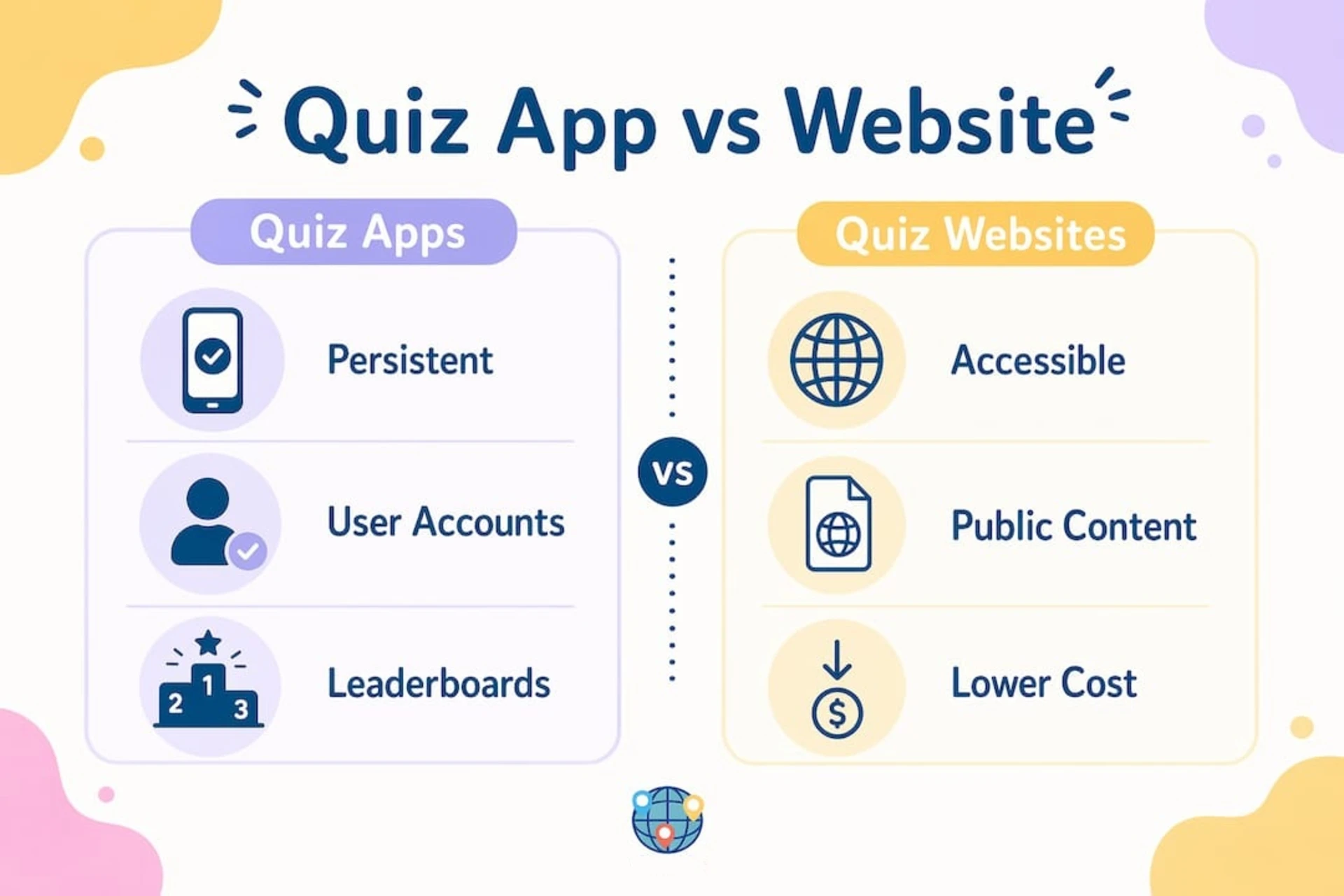
Professional quiz apps in 2026 typically include user authentication, real-time leaderboards, push notifications, and analytics dashboards. These features depend on knowing who you are across sessions and devices, which is exactly what an account layer provides. Here is a quick feature comparison:
| Feature | Quiz app | Quiz website |
|---|---|---|
| User login and accounts | Yes, standard | Rarely |
| Cross-device progress sync | Yes | No |
| On-device streak or score memory | Built in | Possible without an account |
| Push notifications | Yes | No |
| Real-time leaderboards | Yes | Uncommon |
| SEO discoverability | Limited (content behind login) | Strong |
| Installation required | Yes (or PWA prompt) | No |
| Development cost | Higher | Lower |
The table makes one thing clear. Each format wins in different categories, and the line isn’t “memory vs. no memory.” It’s whether that memory needs to travel with you across devices and feed a social system like a leaderboard, or whether it just needs to greet you on your own browser tomorrow.
Pro Tip: The real tell for a true quiz app isn’t whether it remembers anything at all. It’s whether your progress, score, or rank is tied to an account that exists independently of the device in front of you. A site that quietly tracks your streak in your browser is still a website. The moment that streak needs to follow you to your phone, sync with friends, or feed a leaderboard, you’ve crossed into app territory.
A quiz embed is a widget dropped into a webpage with no memory of any kind, not even a local one. A lightweight website with on-device tracking sits a step above that. A true app sits a step above the website, because it adds identity, sync, and social features on top. That distinction matters when you’re deciding which format to build or use.
How do cost and development approaches differ?
Building a quiz app costs significantly more than building a quiz website. Native app development runs 2–4 times more expensive than web-based alternatives. That gap exists because apps require separate codebases for iOS and Android, app store review processes, and more complex backend architecture.
High-frequency database writes needed for apps increase architectural complexity and cost compared to static websites. Every time a player submits an answer, updates a score, or joins a live leaderboard, the database handles a write operation. Scale that to thousands of concurrent players, and you need serious backend infrastructure. A website serving read-heavy content does not face that same pressure.
The build cost is only part of the bill. A few costs that show up after launch and rarely make it into the initial budget:
- Release cadence: App store review adds a waiting period to every update. A website ships the moment you push it. For a quiz product built around something time-sensitive, like a daily challenge, that lag is a real constraint on a native app, not just an inconvenience.
- Platform fragmentation: iOS and Android are two codebases with two release schedules. A bug fix or a new quiz mode has to be built, tested, and shipped twice. A website ships once and reaches every device with a browser.
- Monetization fit: App stores impose rules and fees around in-app purchases and, in some cases, external payment links. Ad placements and affiliate links on a website aren’t subject to that layer at all, which matters if your business model leans on either.
- Compliance surface: Persistent accounts mean handling data subject requests, account deletion flows, and app store privacy disclosures. A site that keeps progress on-device rather than in a user account carries a smaller compliance footprint by design.
Here are the main cost and complexity factors to weigh before choosing a format:
- Native app: Highest cost, longest timeline, separate iOS and Android builds, app store submission required, best for daily active users
- Progressive Web App (PWA): Costs approximately 50–70% less than a native app while still delivering app-like features such as offline access and home screen installation
- Quiz website: Lowest cost, fastest to launch, no installation friction, best for SEO, and one-time engagement
- Embedded quiz widget: Cheapest option, minimal functionality, no user accounts or persistent data
One common trap is scope creep. A project that starts as a “simple quiz website” grows to include leaderboards, then user profiles, then push notifications. Suddenly, you are building an app with a website budget. Defining your feature list before development starts saves real money, and it’s worth asking, for each feature, whether it actually needs an account or just needs to remember the visitor in front of you.
Expert recommendation is to start with a minimum viable product website or PWA before investing in full native app development. Test whether your audience actually returns daily before paying for the infrastructure that supports daily return visits. Many quiz products have launched as websites, confirmed strong engagement, and then added app features progressively.
When is a quiz app better than a quiz website?
The right format depends on how often your audience will engage and what you want them to do after the quiz ends. User frequency and engagement goals guide this choice: infrequent, one-time users benefit from websites, while daily challenge or high engagement scenarios favor apps or PWAs.
Here are six decision checkpoints to help you choose:
- How often will users return? If the answer is daily or weekly, an app or PWA makes sense. If users come once for a specific quiz, a website is enough.
- Do you need to track individual progress? Education platforms that certify completion need persistent accounts. Entertainment quizzes usually do not.
- Is SEO a priority? Websites favor SEO because content is public and indexable. Apps hide content behind logins, which limits search engine visibility. If you want people to find your quiz through Google, a website wins.
- Do you want to send reminders? Push notifications are an app feature. If a daily reminder is part of your engagement strategy, you need at least a PWA.
- Does progress need to follow the user across devices? On-device tracking works fine for a single browser. The moment someone expects their streak to show up on their phone after starting on a laptop, you need an account layer.
- What is your budget and timeline? A website launches faster and cheaper. An app takes longer and costs more. Match the investment to the confirmed demand.
A daily geography challenge, for example, fits the app model well once an audience wants cross-device sync and social leaderboards. Until then, the same challenge can run as a website with a local streak counter and capture most of the engagement at a fraction of the cost. A one-time personality quiz embedded in a magazine article fits the website model outright. It gets traffic from search, serves a single interaction, and does not need to remember anyone.
A hybrid approach often works best: a public website for discovery, with lightweight on-device persistence for retention, and an account-based app or PWA layered in only once daily engagement is proven. This strategy gives you broad reach through SEO while still offering the retention tools that keep engaged players coming back, without paying for app infrastructure before you know you need it.
A Note: Worldlecity’s daily challenge already tracks your streak without asking for an account. If native push reminders, cross-device sync, or app store discovery would add real value for you, tell us using our contact form, and we’ll look into it.
How does user experience differ on apps versus websites?
The experience gap between a quiz app and a quiz website starts before the first question. A website is one click away via a URL. An app requires installation, account creation, and sometimes permission grants for notifications. Installation friction reduces user acquisition in ways that websites simply do not face. That is a real cost to consider.
Once you are inside, the experience diverges further, but not always in the direction people assume. A quiz website without any persistence at all resets every visit: close the tab, and your progress disappears. A quiz website with local streak tracking remembers you on that device, even though it never asked your name. A quiz app goes a step further still: you log in, your history loads on any device, and you can see exactly where you left off, with notifications to bring you back and leaderboards to show you how you compare to others.
Here are the key user experience differences that matter most in practice:
- Access: Websites load instantly from any browser. Apps require a download or PWA installation prompt.
- Personalization: Apps greet you by name and sync your history across devices. A website with on-device tracking remembers your streak on one device, but starts fresh on another.
- Notifications: Apps can ping you when a new daily challenge drops. Websites cannot reach you once you leave, though a PWA can close part of that gap.
- Social features: Leaderboards and result sharing are standard in apps. Websites can include sharing buttons, but real-time social competition is rare.
- Offline access: PWAs and native apps can work without an internet connection. Websites generally cannot.
Entertainment quizzes on websites do one thing very well: they spread. A shareable personality quiz or a geography challenge with a screenshot-friendly result card travels fast on social media. That virality is a website strength. The character quiz format, for instance, thrives on websites because the result is a shareable moment rather than an ongoing experience.
Education platforms show the opposite pattern. A student learning a language or preparing for a certification needs to track progress over weeks, often across a laptop and a phone. That cross-device requirement is what pushes the use case toward an app. The personality quiz format sits somewhere in between: it works well on websites for discovery, and a website with local progress tracking can carry a fair amount of return engagement before an account layer becomes necessary.
Key takeaways
The core difference between a quiz app and a quiz website is identity, not memory: apps tie your progress to a portable account that syncs across devices, while websites can track you locally at most and prioritize discoverability over identity.
| Point | Details |
|---|---|
| Apps offer portable, synced engagement | Accounts, cross-device history, and notifications bring users back on any device. |
| Websites win on discoverability | Public, indexable content makes quiz websites far easier to find through search engines. |
| Local persistence is a middle ground | A website can track streaks and scores on-device without the cost or compliance burden of accounts. |
| Cost gap compounds after launch | Build cost is 2–4 times higher for native apps, and release speed, fragmentation, and compliance add ongoing overhead. |
| Start small and validate | Launch a website or PWA with local tracking first, then add accounts once daily engagement is proven. |
Worldlecity shows what a quiz website can really do
You do not always need a native app to get an engaging, app-like quiz experience. Worldlecity proves that point every day.
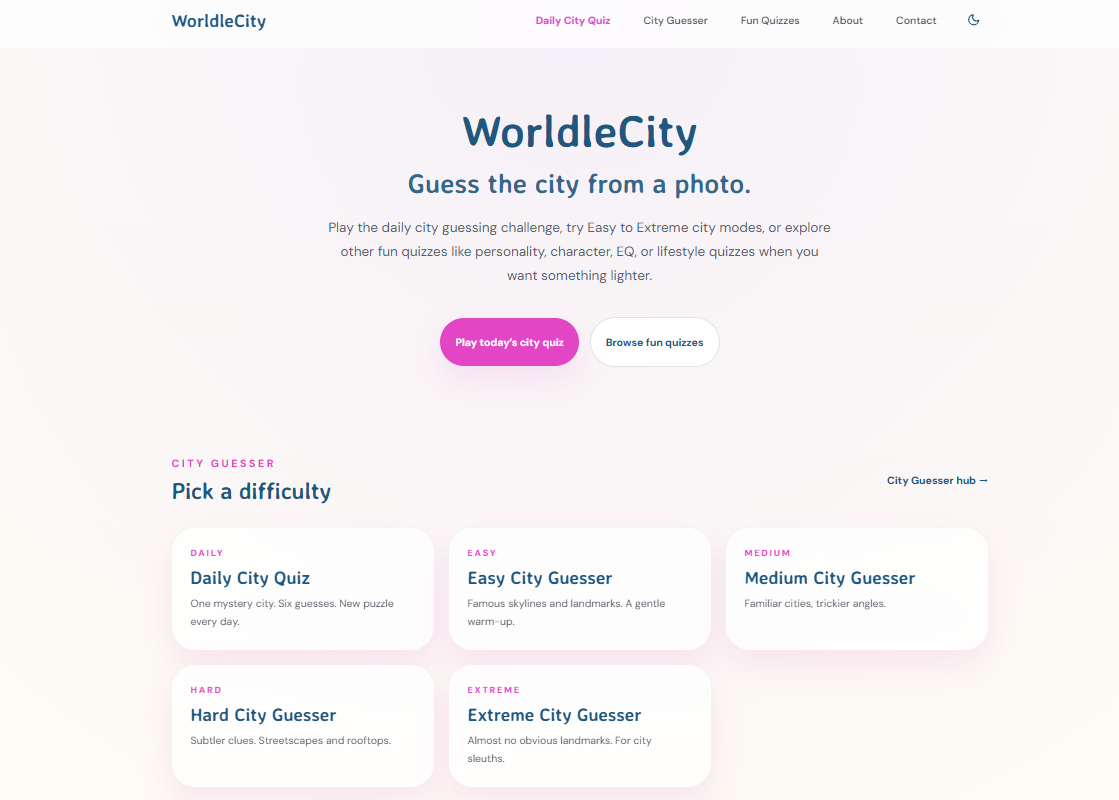
Worldlecity delivers a daily city guessing game that gives you six attempts to identify a mystery city from a photograph, with directional feedback after each guess. There’s no account, no download, and no login screen between you and the game. Open the URL and play. What it does have is a streak counter that lives quietly in your browser, tracking your run without ever asking who you are. That’s the local-persistence middle ground in practice: enough memory to make the daily habit feel real, none of the account overhead that would slow down getting started. The site also offers personality and lifestyle quizzes across multiple difficulty modes, all accessible instantly from any browser. If you want to see how a well-built quiz website can capture app-style engagement without the app, Worldlecity is a good place to start.
FAQ
What is the main difference between a quiz app and a quiz website?
A quiz app provides persistent user accounts, progress tracking, and push notifications, while a quiz website delivers one-time or occasional quiz content without storing user data between sessions.
Which is better for SEO, a quiz app or a quiz website?
Quiz websites are better for SEO because their content is public and indexable by search engines. Apps hide most content behind logins, which limits search visibility.
How much more does a quiz app cost to build than a website?
Native app development typically costs 2–4 times more than a web-based quiz alternative. A Progressive Web App reduces that gap significantly, costing roughly 50–70% less than a native app.
Can a quiz website offer app-like features?
Yes. Progressive Web Apps deliver features like offline access, home screen installation, and push notifications through a browser-based format, without requiring app store submission.
When should I choose a quiz app over a quiz website?
Choose a quiz app when your audience will return daily, needs progress tracking, or benefits from push notification reminders. For one-time engagement or SEO-driven traffic, a website is the better fit.